Waar vind je dit?
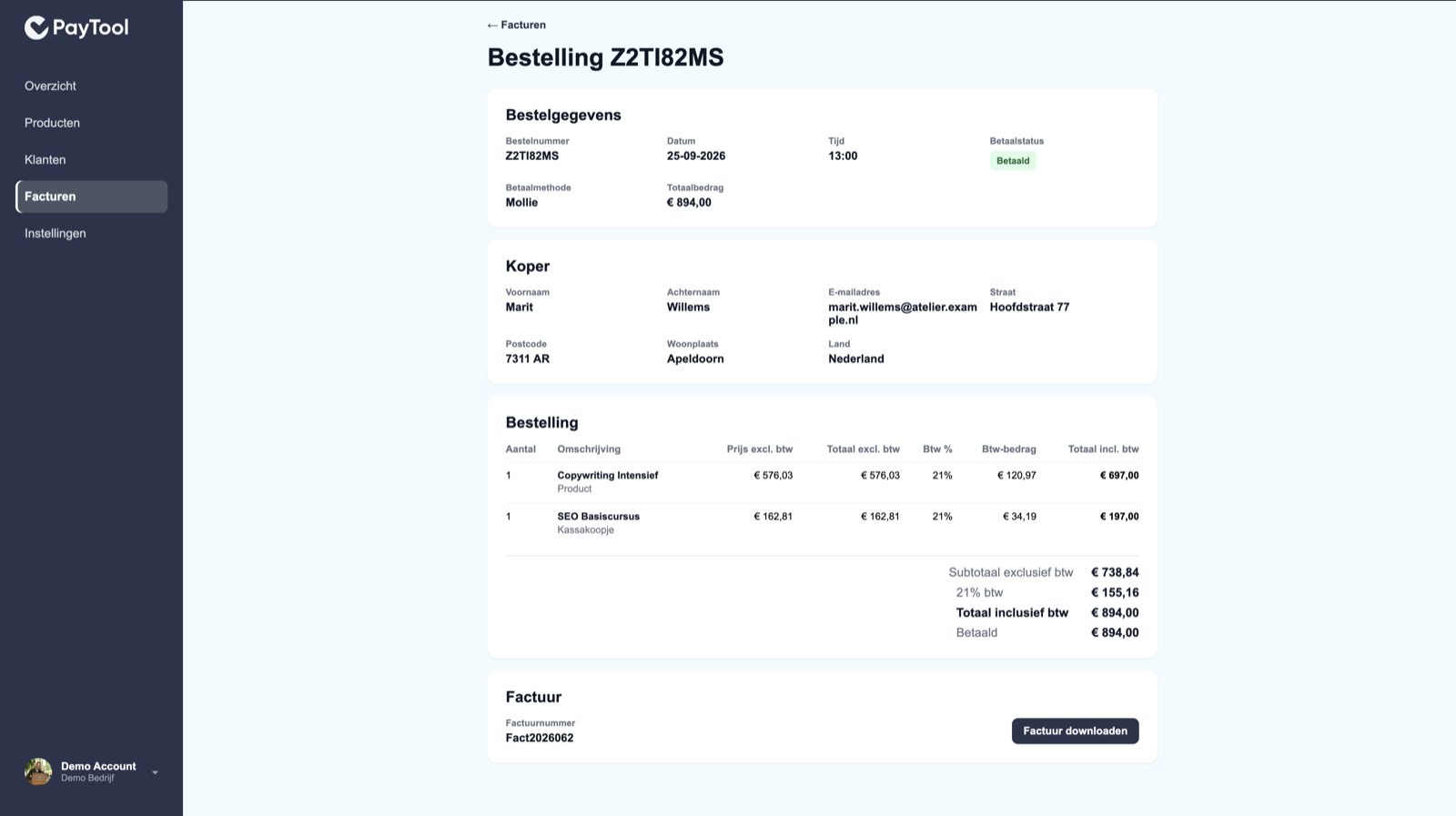
Facturen → een bestelling (/facturen/...). Titel: Bestelling {nummer}.
Wat zie je?
Bestelgegevens: nummer, datum, tijd, betaalstatus, eventueel Mollie, totaalbedrag.
Koper: gegevens uit de checkout.
Bestelling: bij PayTool-facturatie een tabel met aantal, omschrijving, prijs excl. btw, totaal excl., btw-%, btw-bedrag, totaal incl., plus subtotaal, btw per tarief, totaal incl. en Betaald.
Bij WeFact-facturatie toont dit blok de catalogusprijs × aantal, zonder die btw-uitsplitsing.
Factuur: PayTool-nummer + download, of WeFact-factuurnummer als link.